Digital Privacy Checklist: Protect Your Online Data in 2027
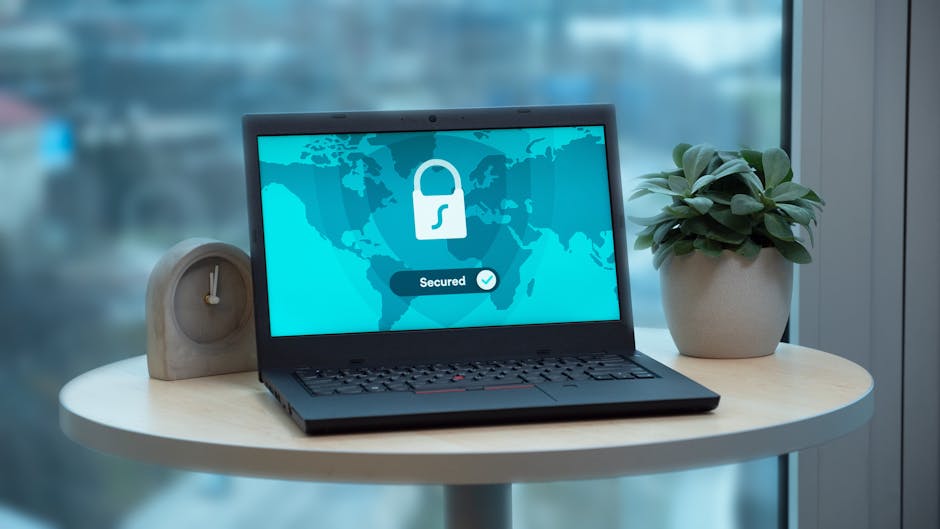
*Photo by Dan Nelson on Pexels*
Your personal data is more valuable than ever. Every website you visit, every search you make, and every purchase you complete leaves a digital trail. Companies track this data to build profiles, target ads, and sometimes sell your information without your knowledge. Taking control of your digital privacy does not require being a cybersecurity expert. Small changes make a big difference.
## The State of Digital Privacy in 2027
Data breaches exposed over 5 billion records in 2026. The average person’s email address appears in at least three known breaches. Tracking cookies follow users across 90% of websites. Third-party data brokers hold an average of 500 data points per person.
The good news is that privacy tools have improved significantly. Browsers now block trackers by default. Privacy laws in 30+ countries regulate data collection. But relying on companies to protect your privacy is not enough — you need to take active steps.
## The 10-Minute Privacy Setup
These five steps take 10 minutes and immediately reduce your digital footprint.
### 1. Switch to a Privacy-Focused Browser
Replace Chrome or Edge with a browser that blocks trackers by default.
- Brave — Blocks ads and trackers out of the box. Built-in Tor mode for sensitive browsing
- Firefox — Open source with strong privacy features. Add uBlock Origin extension
- Safari — Good privacy defaults on Apple devices. Intelligent Tracking Prevention
### 2. Install Privacy Extensions
Add these free extensions to your current browser:
- uBlock Origin — Blocks ads, trackers, and malicious domains
- Privacy Badger — Learns which trackers to block as you browse
- HTTPS Everywhere — Forces encrypted connections when available
### 3. Change Your Search Engine
Google tracks every search you make. Switch to a search engine that does not profile you.
- DuckDuckGo — No tracking, same search quality for most queries
- Startpage — Google results without the tracking
- Brave Search — Independent search index, privacy-first
### 4. Review App Permissions
Your phone apps may be collecting data you did not realize they access.
- iOS: Settings > Privacy > App Permissions. Review location, microphone, camera, and contacts access
- Android: Settings > Privacy > Permission Manager. Review the same categories
Revoke permissions that are not essential. A flashlight app does not need your location.
### 5. Set Up a Password Manager
Use the guide on cybernote.tech to set up a password manager. Strong, unique passwords for every account are the foundation of digital privacy.
## Advanced Privacy Measures
### Use a VPN for Sensitive Activities
A VPN encrypts your internet traffic and hides your IP address. Use a VPN when:
- Connecting to public Wi-Fi (airports, cafes, hotels)
- Accessing sensitive accounts (banking, email) from untrusted networks
- Hiding your browsing activity from your ISP
Choose a VPN that does not log your activity. Paid VPNs are generally more trustworthy than free ones. Mullvad and ProtonVPN are good options.
### Reduce Social Media Exposure
Social media platforms are data collection engines. Reduce your exposure:
- Turn off “personalized ads” in platform settings
- Remove location data from posts
- Review and limit what apps have access to your social media accounts
- Delete old posts and photos you no longer need
### Use Encrypted Messaging
Standard SMS messages are not encrypted. Switch to encrypted messaging apps:
- Signal — End-to-end encrypted by default. Open source. Free
- WhatsApp — End-to-end encrypted. Owned by Meta (privacy concerns)
- Telegram — Encrypted secret chats. Not encrypted by default
## Privacy Checkup Schedule
| Frequency | Task |
|---|---|
| Weekly | Clear browser cookies and cache |
| Monthly | Review app permissions on phone |
| Monthly | Check HaveIBeenPwned for new breaches |
| Quarterly | Review and delete unused online accounts |
| Yearly | Update passwords for critical accounts |
## Tools We Recommend
| Tool | Purpose | Price |
|---|---|---|
| Brave Browser | Private browsing | Free |
| Bitwarden | Password manager | Free / $3/mo premium |
| Signal | Encrypted messaging | Free |
| Mullvad VPN | Anonymous browsing | ~$6/mo |
| DuckDuckGo | Private search | Free |
| uBlock Origin | Ad and tracker blocking | Free |
## Conclusion
Digital privacy is not about being paranoid. It is about taking control of your personal data. Start with the 10-minute setup (browser, search engine, password manager, app permissions), then add advanced measures over time. Every step you take reduces your digital footprint and protects your data from companies and attackers.
For more digital security and privacy guides, visit cybernote.tech.
*For more digital privacy and security resources, visit cybernote.tech.*