How to Create a Digital Estate Plan for Your Assets
Your digital estate plan is a secure document that lists all your online accounts, passwords, encrypted data, and instructions for loved ones after you pass. To create one, inventory your assets, choose a secure storage method (like an encrypted password manager), assign a digital executor, and store your plan with a dead man’s switch or time-locked vault. Without this, your crypto wallets, social media, and AI-encrypted files may be lost forever.

*Photo by Dan Nelson on Pexels*
## Why You Need a Digital Estate Plan
In 2025, the average person has over 100 online accounts. From banking and crypto to AI tools and encrypted messaging apps, your digital life is vast. If you die or become incapacitated, your family may not access critical data—especially if it’s protected by end-to-end encryption.
Key risks without a plan:
- Lost cryptocurrency wallets worth thousands
- Unpaid subscriptions draining accounts
- Family unable to access stored photos, documents
- Social media profiles left vulnerable to hackers
## Step 1: Inventory Every Digital Asset
Start by listing everything. Don’t skip encrypted or hidden tools.
| Asset Type | Examples | Encryption Level |
|---|---|---|
| Financial | Bank accounts, PayPal, crypto wallets | High (2FA + password) |
| Communication | Email, Signal, WhatsApp | End-to-end encrypted |
| Storage | Google Drive, Proton Drive, Synology | AES-256 encryption |
| Subscription | Netflix, Adobe, VPN services | Varies |
| Social Media | Facebook, Instagram, LinkedIn | Standard |
| AI Accounts | ChatGPT, Claude, Midjourney | Password + API keys |
Action: Create a spreadsheet or use a secure notes app. For each account, note:
- URL or app name
- Login email/username
- Password location (e.g., “in Bitwarden vault”)
- 2FA backup codes
- Instructions (e.g., “close account” or “transfer to spouse”)
## Step 2: Choose a Secure Storage Method
Never store your digital estate plan in plain text or email. Use one of these:
Option A: Encrypted Password Manager (Recommended)
- Tools: Bitwarden, 1Password, KeePassXC
- Store your inventory as a secure note
- Share emergency access with your executor
- Pro tip: Enable “Emergency Access” in Bitwarden—your executor requests access after a waiting period.
Option B: Time-Locked Encrypted Vault
- Platforms: CyberNote.tech offers encrypted notes with time-release
- Write your plan, set a timer (e.g., 30 days of inactivity)
- If you don’t check in, the vault unlocks for your designee
Option C: Dead Man’s Switch Service
- Services like Dead Man’s Switch email your plan if you miss a check-in
- Less secure but simple
*Photo by Miguel Á. Padriñán on Pexels*
## Step 3: Assign a Digital Executor
A digital executor is someone you trust to carry out your digital wishes. This can be a family member, lawyer, or close friend.
What they need:
- Access to your encrypted storage (via emergency sharing)
- A copy of your legal will (digital version)
- Your master password or recovery phrase—only if you set up emergency access
Important: Don’t give them your master password directly. Use a system where they can request access, and you approve it (or it auto-releases after your death).
## Step 4: Write Instructions for Each Asset
Be specific. Vague instructions cause confusion.
Example for a crypto wallet:
- Wallet: Ledger Nano X
- Location: Safe deposit box, Bank of America
- PIN: Shared via encrypted note on CyberNote.tech
- Recovery phrase: Stored in two separate fireproof safes
- Action: Transfer all ETH to spouse’s wallet address (provided in will)
Example for an AI account:
- Service: ChatGPT Pro
- Login: [email protected]
- Action: Cancel subscription, download chat history
- Note: Contains proprietary business data—delete after download
## Step 5: Plan for Encrypted Communications
Encrypted apps like Signal, WhatsApp, and ProtonMail require special handling.
- Signal: Enable “Registration Lock PIN” and store it. Your executor can request account deletion via Signal support.
- WhatsApp: Set up “Legacy Contact” feature (available in settings).
- ProtonMail: Use their “Plan for End of Life” feature—designate someone to access your account after inactivity.
Pro tip: For all encrypted services, export your encryption keys and store them in your digital estate plan.
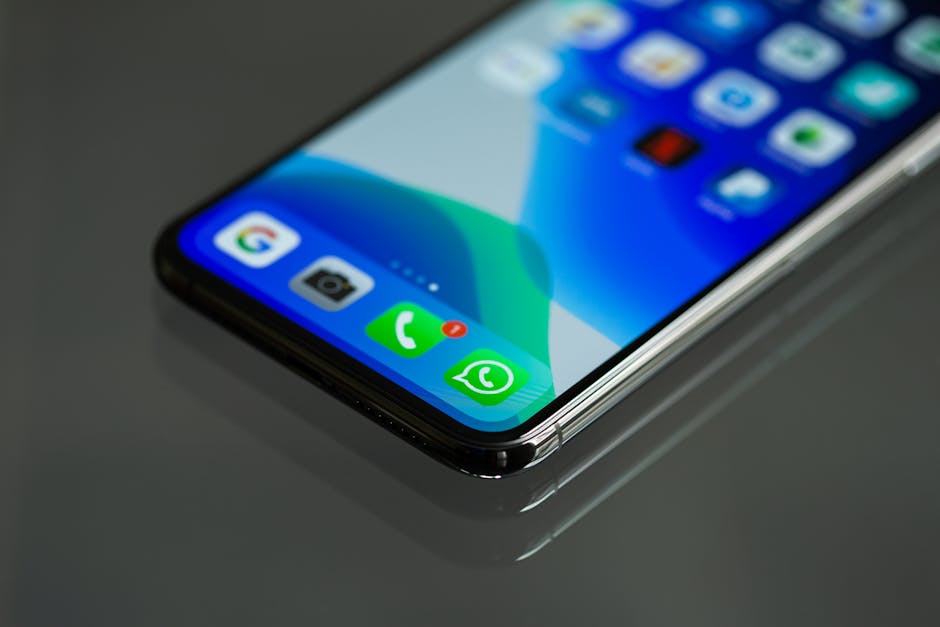
*Photo by Torsten Dettlaff on Pexels*
## Step 6: Create a Legal Will (Digital Addendum)
Most traditional wills don’t cover digital assets. Add a Digital Assets Addendum to your legal will.
What to include:
- List of all digital assets
- Designation of digital executor
- Permission to access encrypted accounts
- Instructions for deletion or transfer
Legal note: Some states (like Virginia and Delaware) have specific laws for digital estate planning. Consult a lawyer if you have high-value crypto or sensitive data.
## Step 7: Test Your Plan
Don’t wait until it’s too late. Run a test:
1. Ask your executor to request emergency access to your password manager
2. Check that they can open your encrypted plan
3. Verify they understand instructions for at least 3 critical accounts
4. Update the plan every 6 months
Common failures:
- Expired 2FA backup codes
- Dead email addresses for notifications
- Outdated crypto wallet addresses
## Comparison: Storage Methods for Digital Estate Plans
| Method | Security | Ease of Access | Best For |
|---|---|---|---|
| Paper in safe | High (if safe is fireproof) | Low (needs physical access) | Backup only |
| Password manager | High (encrypted + 2FA) | High (emergency access) | Primary method |
| Time-locked vault | Very high (encrypted + timer) | Medium (requires setup) | Crypto & sensitive data |
| Email to lawyer | Low (email can be hacked) | High | Non-sensitive accounts |
| USB drive | Medium (can be lost) | Low | Offline backup |
## Conclusion
Your digital estate is just as valuable as your physical property—maybe more, given encryption and crypto assets. Without a plan, your family may lose access to funds, memories, and critical data. Take action today.
Start with CyberNote.tech — our platform lets you create encrypted, time-released notes that automatically unlock for your designated recipient. No passwords to share. No trust issues. Just secure, private digital estate planning.

*Photo by Tibe De Kort on Pexels*
Your next step: Inventory 3 accounts right now. Write them in a secure note on CyberNote.tech. Set a 30-day check-in timer. You’ve just started your digital estate plan.