How to Use Encrypted Messaging Apps Safely for Private Communication
Encrypted messaging apps protect your conversations from prying eyes, but using them safely requires more than just downloading Signal or WhatsApp. To ensure truly private communication, always enable end-to-end encryption, verify contacts via security codes, disable cloud backups, and use disappearing messages. Avoid SMS fallback, update apps regularly, and never share sensitive data over unverified channels. This guide covers the exact steps to lock down your chats, choose the best app for your needs, and avoid common privacy pitfalls—so you can communicate with confidence.
## Why Encrypted Messaging Matters
In an era of data breaches and surveillance, standard SMS and unencrypted apps leave your messages exposed. Encrypted messaging apps use cryptographic protocols to scramble your texts, calls, and files so only you and the intended recipient can read them. Without encryption, your messages are like postcards—anyone handling them can see the content. With end-to-end encryption (E2EE), they become sealed letters.
## Top Encrypted Messaging Apps Compared

Photo by Rahul Shah on Pexels
Here’s a quick comparison of the most popular encrypted messaging apps:
| App | End-to-End Encryption | Open Source | Metadata Protection | Disappearing Messages |
|---|---|---|---|---|
| Signal | Always (all messages & calls) | Yes | Strong (minimal data collection) | Yes (custom timers) |
| Always (by default) | No | Moderate (shares metadata with Meta) | Yes (24h, 7d, 90d) | |
| Telegram | Only in Secret Chats | Partial (client only) | Weak (cloud sync by default) | Yes (in Secret Chats) |
| Wire | Always (all content) | Yes | Strong (zero-knowledge) | Yes (custom timers) |
Verdict: For maximum privacy, Signal is the gold standard. It’s open source, collects minimal metadata, and encrypts everything by default.
## Step-by-Step: How to Use Encrypted Messaging Apps Safely
### 1. Choose the Right App
Not all encrypted apps are equal. Avoid apps that don’t enable E2EE by default (like Telegram’s regular chats). Stick with Signal for sensitive communications, or WhatsApp for broader adoption (but be aware of Meta’s data collection).
### 2. Enable End-to-End Encryption
- Signal: E2EE is automatic for all messages and calls.
- WhatsApp: It’s on by default—but verify by checking the “Encryption” label in chat info.
- Telegram: Only use Secret Chats (start from the contact’s profile). Regular chats are not encrypted end-to-end.
### 3. Verify Contact Safety Numbers
Even with E2EE, a man-in-the-middle attack could intercept your messages. Verify your contact’s security code to ensure you’re talking to the right person.
- Signal: Tap the contact’s name > “View Safety Number” > compare numbers in person or via a trusted channel.
- WhatsApp: Tap the contact > “Encryption” > scan the QR code or compare 60-digit code.
Pro tip: Always verify when discussing sensitive topics, especially if you’ve never met the person.
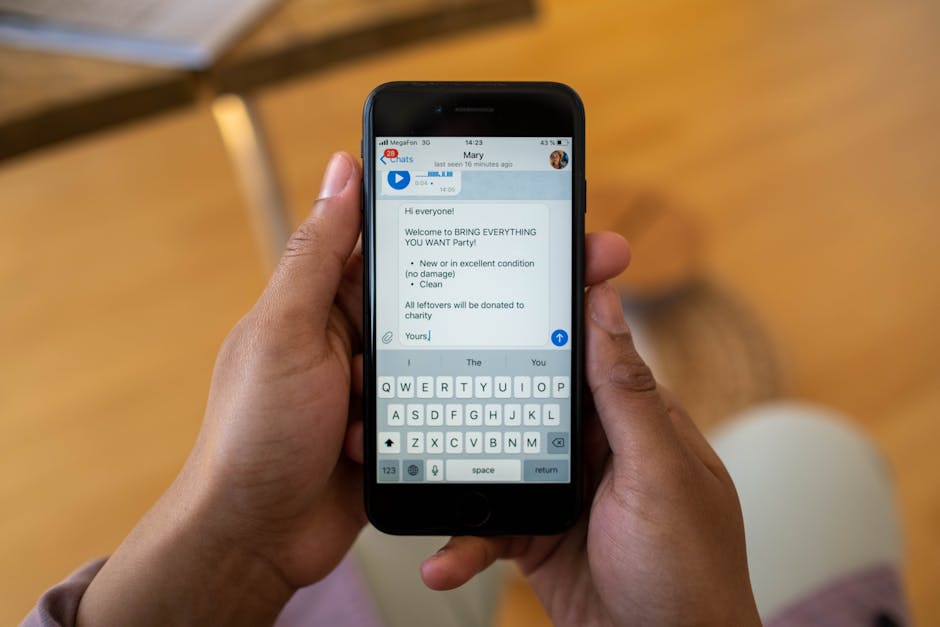
Photo by Ron Lach on Pexels
### 4. Disable Cloud Backups
Cloud backups (iCloud, Google Drive) often store messages without encryption, defeating the purpose of E2EE. Turn them off:
- Signal: Settings > Chats > Backups > disable “Back up to iCloud/Google Drive”
- WhatsApp: Settings > Chats > Chat backup > turn off backup (or use encrypted backup with a password)
- Telegram: Avoid using cloud chats entirely; only use Secret Chats
### 5. Enable Disappearing Messages
Set messages to auto-delete after a timer. This limits exposure if your device is compromised.
- Signal: Tap the chat > “Disappearing messages” > choose timer (5 seconds to 4 weeks)
- WhatsApp: Tap the contact > “Disappearing messages” > enable (24h, 7d, or 90d)
- Telegram: Only in Secret Chats: tap the timer icon > set duration
### 6. Use Strong Authentication
Secure your messaging app with a strong password or biometric lock:
- Signal: Settings > Privacy > Screen Lock > enable with passcode or fingerprint
- WhatsApp: Settings > Privacy > Screen Lock > require Face ID/fingerprint
- Telegram: Settings > Privacy and Security > Passcode Lock
Also enable two-factor authentication (2FA) for your account to prevent SIM swap attacks.
### 7. Avoid SMS Fallback
Some apps (like Signal) can fall back to unencrypted SMS if the recipient doesn’t have the app. Disable SMS integration:
- Signal: Settings > SMS > turn off “SMS and MMS” (use Signal as your default messaging app only if you want E2EE)
### 8. Keep Apps Updated
Encryption protocols evolve to patch vulnerabilities. Enable automatic updates for your messaging app and OS. Outdated apps are a top attack vector.
### 9. Minimize Metadata Exposure
Metadata (who you talk to, when, how often) can reveal as much as message content. To reduce it:
- Use Signal (minimal metadata collection)
- Avoid using real phone numbers if possible (Signal uses phone numbers by default, but you can hide your number)
- Don’t link your messaging app to social media profiles
### 10. Be Wary of Screenshots and Forwarding
Encrypted messages can still be screenshotted or forwarded. On Signal, you can block screenshots in private chats (Settings > Privacy > “Screen Security”). On WhatsApp, disable “Forwarded” labels by not forwarding sensitive content.
## Common Mistakes to Avoid
- Using default settings without verification – Always check encryption status
- Trusting third-party “secure” apps – Stick with audited, open-source apps like Signal
- Sharing encryption keys publicly – Never post your safety number online
- Ignoring phishing attempts – Even encrypted apps can be tricked by fake logins

Photo by Ann H on Pexels
## Advanced Tips for Maximum Privacy
- Use a VPN to hide your IP address when using messaging apps
- Create a burner phone number (e.g., via Google Voice or a prepaid SIM) for Signal registration
- Encrypt your device storage – Full disk encryption on your phone adds another layer
- Audit your app permissions – Disable camera, microphone, and contacts access when not needed
## Conclusion
Encrypted messaging apps are powerful tools for private communication, but they’re only as secure as your usage habits. By choosing the right app (Signal is our top recommendation), verifying contacts, disabling backups, and enabling disappearing messages, you can drastically reduce your digital footprint and protect sensitive conversations.
Ready to take control of your digital privacy? Visit cybernote.tech for premium guides, tools, and membership resources on encryption, security, and privacy. Join our community today and stay one step ahead of surveillance.